Compare AI Room Redesign Tools in 2026:
Features, Free Plans & Limits
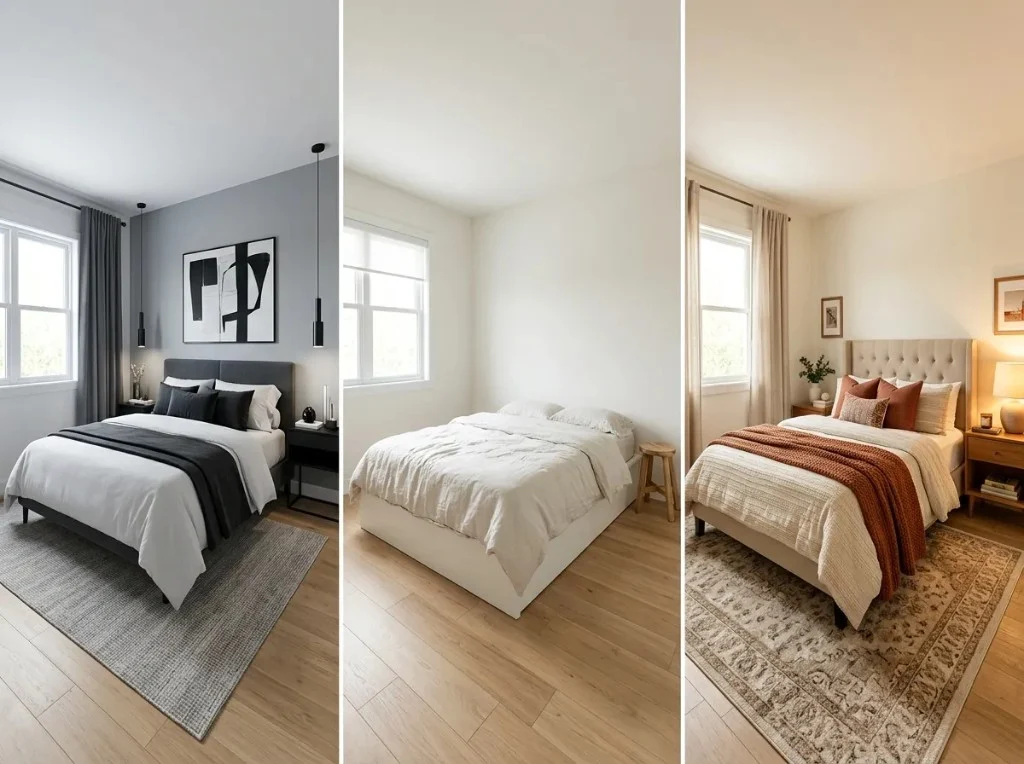
This guide helps you compare AI room redesign tools — AI Room Redesign, RoomGPT, REimagineHome, and Interior AI. We keep the hands-on test simple: one bedroom photo, one modern style brief, four tools. The comparison table covers features and pricing; the status table below tracks those four after images — all four are published for the B1 one-photo test.
One-photo test status
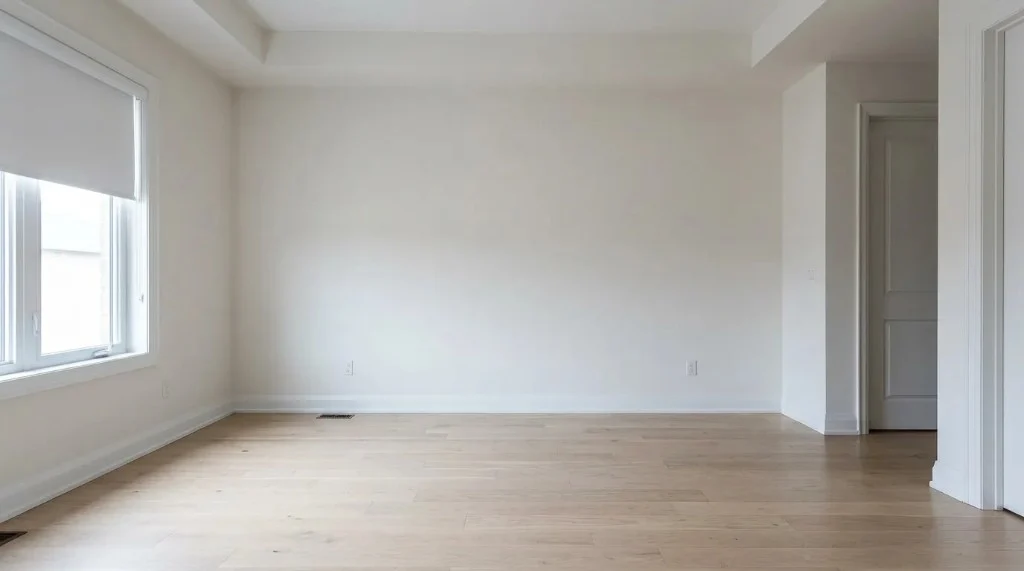
We use one shared bedroom photo (B1) and one style brief. Each tool uploads the same file and uses the same prompt text where possible. When all four before/after pairs are published, readers get a simple visual compare — no multi-scenario matrix.
- Download or screenshot the B1 source photo on this page.
- In each tool: upload that file, pick Bedroom + Modern (or closest preset), paste the interior modern brief into custom notes / prompt.
- Save each tool’s output; note credits charged and whether windows or camera angle drifted.
- We publish four after images on this page and mark the status table Published — nothing else is required for v1 of this guide.
| Test | AI Room Redesign | RoomGPT | REimagineHome | Interior AI |
|---|---|---|---|---|
| One bedroom photo + interior modern brief Fair head-to-head on equal inputs | Published | Published | Published | Published |
Quick recommendations
Short answers when you compare AI room redesign tools by job — not a ranked “top 4.” If we lack evidence, we say so.
One room photo, several interior styles (priority use case)
Consider: AI Room Redesign — iterate styles in the workbench
Upload once and switch style presets in the workbench. The compare test on this page uses one style only (modern on B1); extra styles are a product feature, not a 28-image matrix.
Evidence-backedTry a competitor free tier before you pay
Consider: RoomGPT or REimagineHome starter credits
Official pages (Oct 2026): RoomGPT lists one free generation after Google sign-in; REimagineHome lists five free designs for new users. Use the shared source photos on this page if you want the same input across tools.
Evidence-backedVirtual staging for listings at higher volume
Consider: Interior AI or REimagineHome paid tiers
Both products market virtual staging and real-estate workflows; when you compare AI room redesign tools for listings, check parallel limits and monthly design caps on their pricing pages.
Evidence-backedInteriors + exteriors + gardens in one browser studio
Consider: AI Room Redesign
Compare table lists scope from official pages. This guide’s hands-on test is bedroom-only (B1); optional B4/B5 source photos are for your own demos, not required to publish the compare article.
Evidence-backedKeep walls, windows, and layout closer to your photo
Consider: Try keep-furniture on your upload in our workbench
Optional product control — not part of the single-photo four-tool benchmark on this page.
Use with cautionConstruction-ready floor plans and DXF export
Consider: Dedicated floor-plan software (not these AI photo tools)
AI Room Redesign pricing copy references planner features for some tiers, but photo redesign outputs are not verified as permit-ready plans.
Use with caution
Comparison table
Use this table to compare AI room redesign tools at a glance. Tools are listed alphabetically — click official links to confirm prices before you buy.
| Tool | Primary use | Photo redesign | Styles & controls | Layout preservation | Free tier | Pricing (summary) | Limitations | Best for |
|---|---|---|---|---|---|---|---|---|
| AI Room Redesign Official source | Photo-based interior, exterior, and garden redesign in one browser studio | Yes — upload JPG, PNG, or PDF (workbench) | Room type, design style, lighting, optional elements, template vs custom notes; Basic or Pro model; 1K–4K output | Optional “keep existing furniture” toggle; outputs are visual concepts — layout and objects may still change (not guaranteed preservation) | 2 free credits after sign-up (see site Pricing; no card required to claim per product copy) | Credit packs and monthly subscriptions on Pricing page — verify current USD amounts at checkout Credit costs per generation documented in app (Basic from 1 credit/image at 1K). | Not construction drawings; no certified measurements; generation quality varies by photo and settings | Homeowners exploring multiple room types (including bedroom) and outdoor tabs from one photo workflow |
| Interior AI Official source | AI interior design, virtual staging, sketch-to-render, and related pro workflows | Yes — upload your own room interior (advertised on plan features) | 55+ styles, custom prompts, remix, parallel renders; tiered render quality (Pro / Premium / Ultra) | Marketing focuses on photoreal staging; no explicit guarantee that walls, windows, or furniture positions stay fixed — treat as stylistic reinterpretation unless you verify on your photo | No permanent free tier stated on official homepage (Oct 2026 check); third-party sites disagree on trials — verify before purchase | Pro listed at $49/month on official homepage (Oct 2026); Premium $99/mo; Ultra $199/mo — confirm on billing page when logged in Plan names and monthly prices taken from interiorai.com homepage text, Oct 16, 2026. | Paid plans required for full workflow; GPU-cost refund policy restrictive; not a substitute for architectural plans | Agents and creators needing virtual staging volume, higher parallel throughput, and commercial licensing |
| REimagineHome Official source | AI redesign and staging oriented to real estate and property marketing | Yes — room and listing photo workflows (virtual staging, landscaping themes per product site) | Space type and design themes; credit-based generations; exploration/chat features described as non-credit | Staging-focused outputs may replace furnishings; structural fidelity varies — no explicit “lock layout” promise found on pricing page | 5 free designs for new users (official pricing page, Oct 2026) | Subscription plans from $14/month upward with monthly credit buckets (30–900 credits depending on tier — verify on pricing page) Free designs and starting price from reimaginehome.ai/pricing, Oct 16, 2026. | Credits consumed per generation; unused monthly credits may not roll over (check plan terms) | Real estate pros testing quick listing visuals and theme variations |
| RoomGPT Official source | Fast interior room photo redesign (single-room focus) | Yes — upload room photo after Google sign-in | Preset interior themes (catalog smaller than enterprise suites — verify in app) | Typical generative redesign — expect furniture and decor swaps; no published guarantee of fixed geometry | 1 free generation for new Google sign-in accounts (official /dream page, Oct 2026) | Pay-as-you-go credits, no subscription (fulfillment policy); pack prices shown at checkout on buy-credits — verify live before purchase Free generation from roomgpt.io/dream; credit model from roomgpt.io/fulfillment. | Interiors-focused; requires Google sign-in for free credit; credit balance needed for iteration | Quick one-room style experiments with minimal setup |
How we compare AI room redesign tools
The same criteria we use whenever we compare AI room redesign tools in the table and hands-on section below.
- Ease of use and clarity of the upload → style → generate flow
- Visual quality and consistency at default settings
- How closely outputs match the requested style (subjective; note in tests)
- Drift in walls, windows, doors, furniture anchors, and camera angle
- Controls: room type, lighting, custom prompts, staging modes
- Free usage and total cost of ownership at your expected volume
- Fit for homeowners, renters, agents, and DIY experimenters
Advertised vs tested: Table rows marked “Official source” come from vendor pages on 2026-10-16. Generated images on this page are limited to our own published B1 example — not placeholder competitor renders.
Test methodology
- Download or screenshot the B1 source photo on this page.
- In each tool: upload that file, pick Bedroom + Modern (or closest preset), paste the interior modern brief into custom notes / prompt.
- Save each tool’s output; note credits charged and whether windows or camera angle drifted.
- We publish four after images on this page and mark the status table Published — nothing else is required for v1 of this guide.
The one photo + prompt
Every tool gets this source file and this brief. That is the full v1 benchmark — no other scenarios required to publish the compare article.
B1 — Primary bedroom, daylight, wide angle
One empty bedroom photo every tool runs for the published compare test.
Same file for RoomGPT, REimagineHome, Interior AI, and AI Room Redesign. Our published after image is in the results section.
Interior modern brief (copy into each tool)
Redesign this room in a modern interior style with warm neutral colors (beige, taupe, soft white), natural wood accents, and layered ambient lighting. Keep the same camera angle and room geometry: same number and position of windows and doors, same ceiling height, same floor plane. Update furniture, textiles, wall color, and decor only. Photorealistic, no people, no text overlays.
Optional extra source photos (B2–B5) — not part of the four-tool test
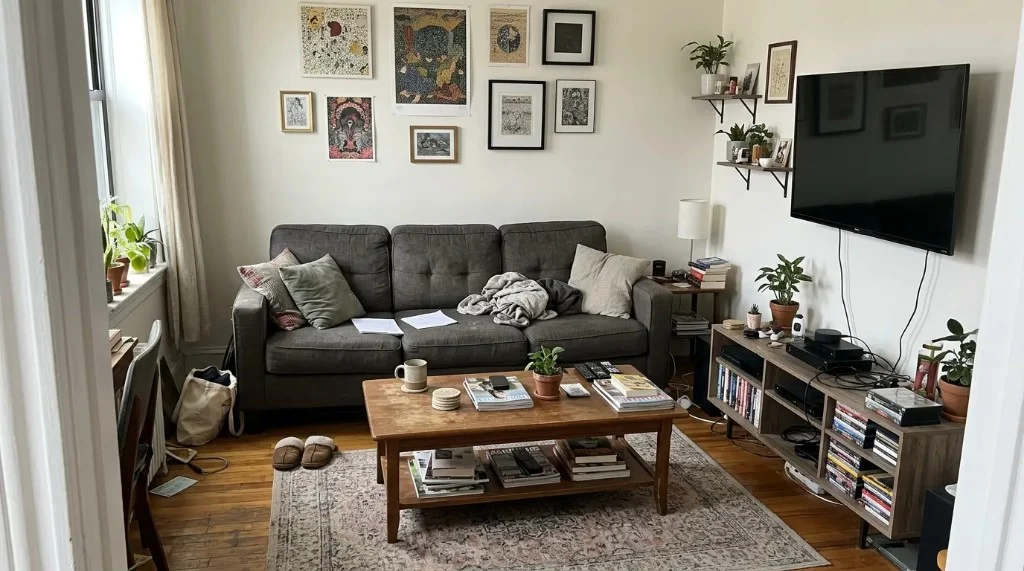
B2 — Furnished living room (optional)
Not part of the four-tool compare matrix on this page.
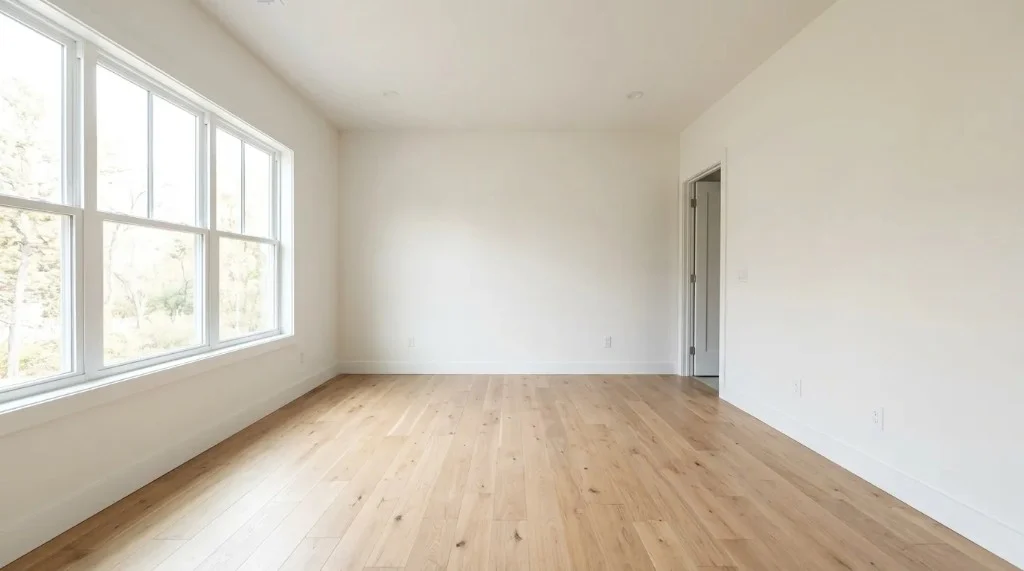
Open source imageB3 — Empty interior (optional)
Not part of the four-tool compare matrix on this page.
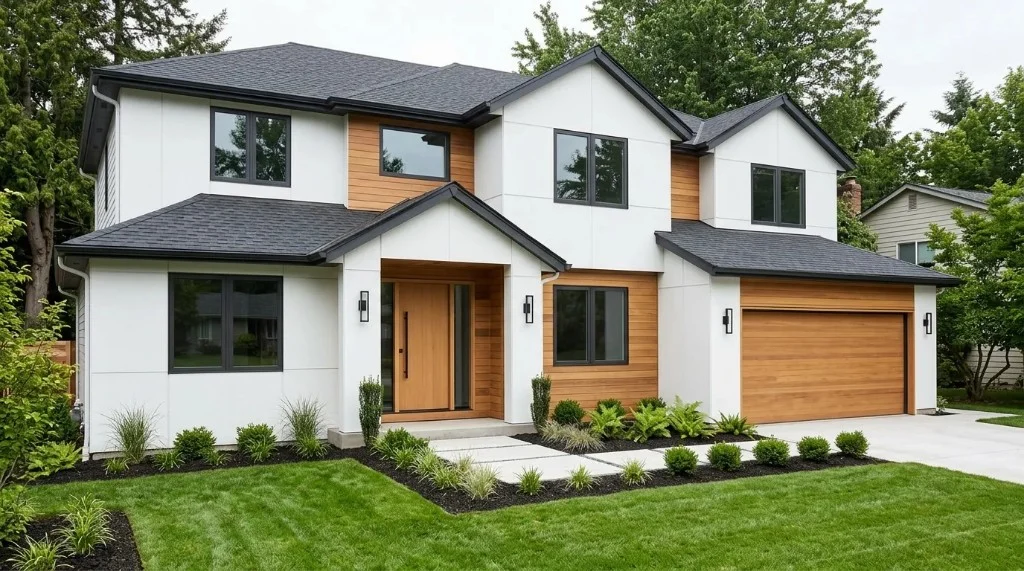
Open source imageB4 — House exterior (optional)
Not part of the four-tool compare matrix on this page.
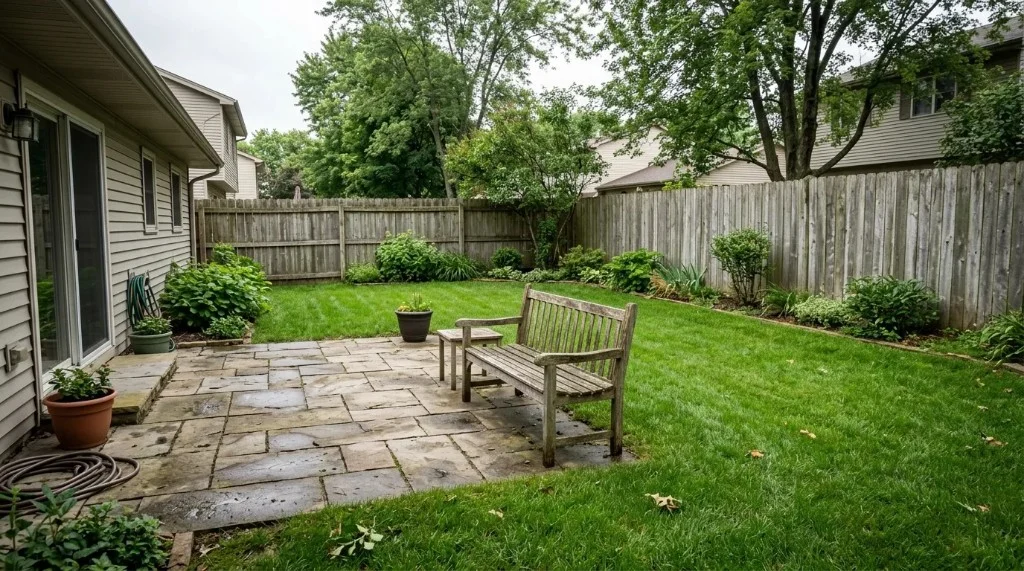
Open source imageB5 — Backyard (optional)
Not part of the four-tool compare matrix on this page.
Open source image
What this guide proves today
- Official feature, pricing, and free-tier rows from vendor pages (see comparison table and sources).
- One hands-on benchmark: B1 bedroom photo + interior modern brief × four tools.
- Four published after images on B1 + interior modern (all tools in the status table).
- Optional B2–B5 source photos at the bottom for your own experiments — not required for this guide.
Why choose AI Room Redesign when you compare tools (A → B → C)
Product story (A → B → C) is separate from the one-photo test. Head-to-head credibility comes only from the single B1 row when all four tools are Published.
Priority — live in product
1. Same room, multiple styles
Upload once and change style presets in the workbench. This compare page does not require a multi-style screenshot grid — only the single B1 modern benchmark for head-to-head tools.
Live in productProduct feature · not in v1 benchmark
2. Keep the room shell recognizable
Optional keep-furniture controls in our studio. Test on your own photos; we do not score layout drift in the simplified B1-only compare test.
Verify on your photoRoadmap — not the focus of this guide
3. From preview to renovation decisions
Shopping lists, material schedules, and contractor-ready packs need product scope beyond photo preview. We mention planner-related tiers on Pricing where applicable; this compare page does not treat AI images as permit documents.
Roadmap
One-photo test results (B1, all four tools)
Same B1 bedroom source and interior modern brief — before/after for each tool below.
AI Room Redesign
b1-bedroom-daylightPublished testTest date: 2026-10-16
Input: Empty primary bedroom photo (wide angle, daylight) — benchmark B1 source; same asset as site workbench preview demo.
Settings: Interiors → Bedroom → modern-style preset (representative studio defaults; pipeline prompt not third-party).
Style brief: Redesign this room in a modern interior style with warm neutral colors (beige, taupe, soft white), natural wood accents, and layered ambient lighting. Keep the same camera angle and room geometry: same number and position of windows and doors, same ceiling height, same floor plane. Update furniture, textiles, wall color, and decor only. Photorealistic, no people, no text overlays.
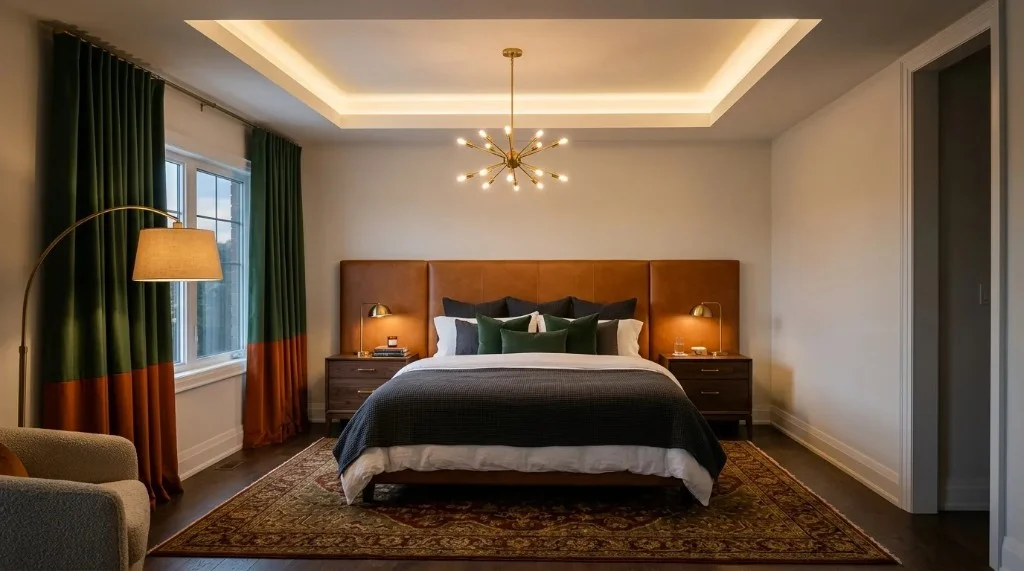
Cost: Varies by model and resolution (Basic from 1 credit per 1K image in app)
Layout notes: Windows and room shell broadly retained in demo pair; furniture and finishes changed substantially — not a strict layout-lock test.
Same B1 source file and interior modern brief as the three competitor runs below.
RoomGPT
b1-bedroom-daylightPublished testTest date: 2026-10-16
Input: B1 bedroom source — same file as AI Room Redesign run.
Settings: Bedroom + Modern preset; interior modern brief in custom prompt where supported.
Style brief: Redesign this room in a modern interior style with warm neutral colors (beige, taupe, soft white), natural wood accents, and layered ambient lighting. Keep the same camera angle and room geometry: same number and position of windows and doors, same ceiling height, same floor plane. Update furniture, textiles, wall color, and decor only. Photorealistic, no people, no text overlays.
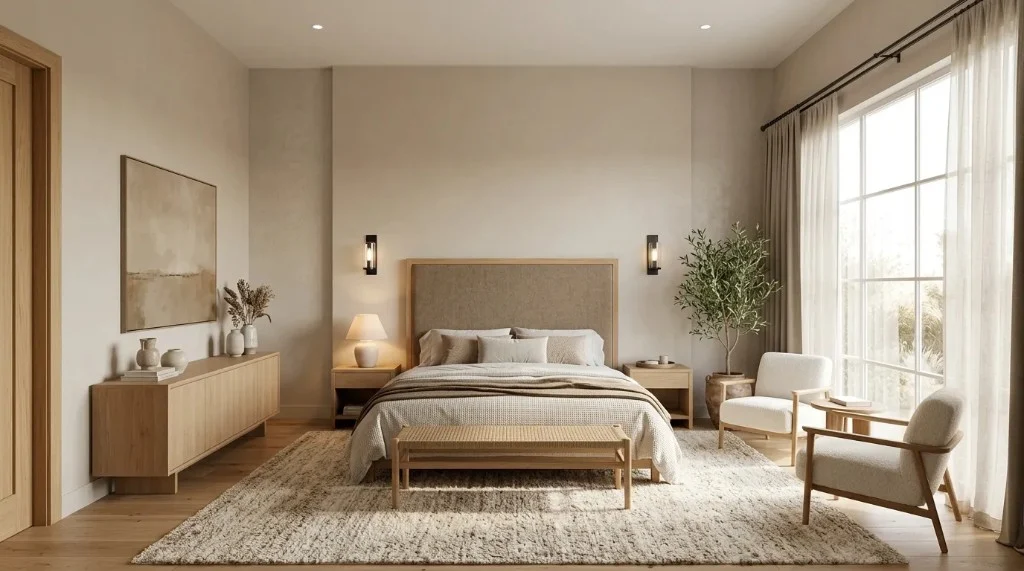
Stored output for the one-photo compare test.
REimagineHome
b1-bedroom-daylightPublished testTest date: 2026-10-16
Input: B1 bedroom source — same file as AI Room Redesign run.
Settings: Bedroom / modern theme; interior modern brief in instructions.
Style brief: Redesign this room in a modern interior style with warm neutral colors (beige, taupe, soft white), natural wood accents, and layered ambient lighting. Keep the same camera angle and room geometry: same number and position of windows and doors, same ceiling height, same floor plane. Update furniture, textiles, wall color, and decor only. Photorealistic, no people, no text overlays.
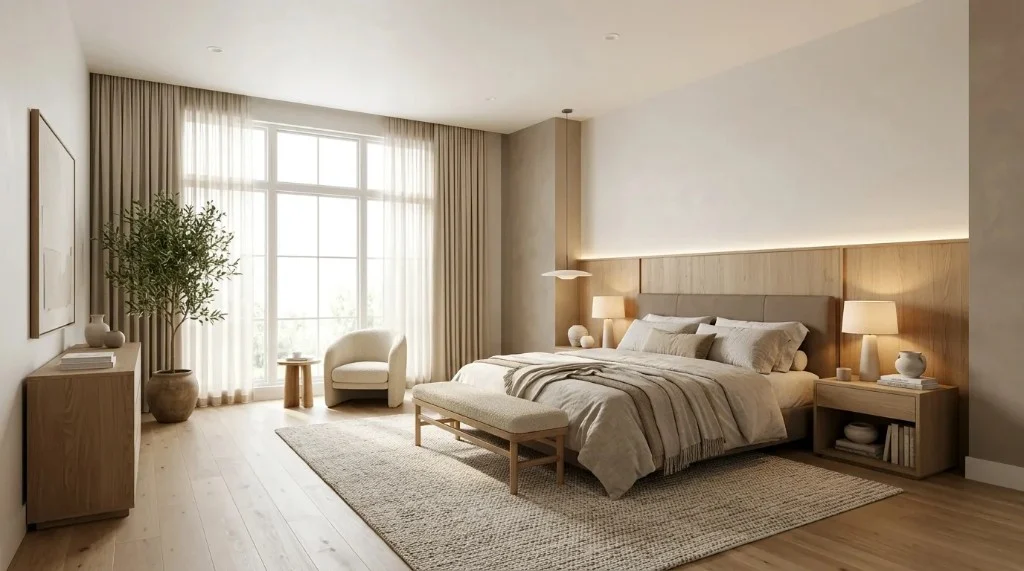
Stored output for the one-photo compare test.
Interior AI
b1-bedroom-daylightPublished testTest date: 2026-10-16
Input: B1 bedroom source — same file as AI Room Redesign run.
Settings: Modern style + custom prompt with interior modern brief.
Style brief: Redesign this room in a modern interior style with warm neutral colors (beige, taupe, soft white), natural wood accents, and layered ambient lighting. Keep the same camera angle and room geometry: same number and position of windows and doors, same ceiling height, same floor plane. Update furniture, textiles, wall color, and decor only. Photorealistic, no people, no text overlays.
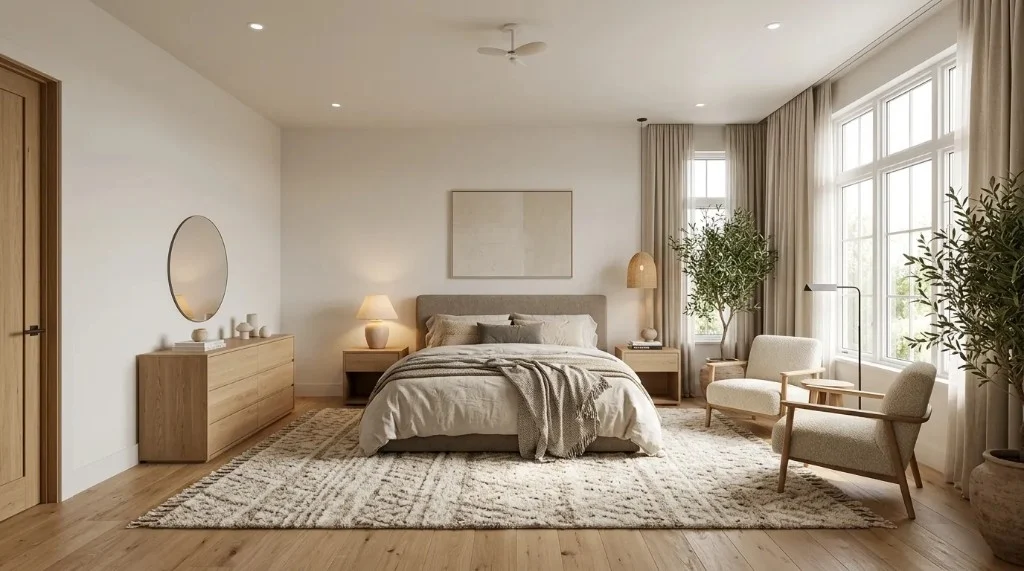
Stored output for the one-photo compare test.
Which tool should you choose?
After you compare AI room redesign tools on paper, match the winner to your scenario — not every product fits every room or budget.
Homeowner exploring styles: Start with free tiers (RoomGPT, REimagineHome, or AI Room Redesign sign-up credits). Iterate on one room before buying packs.
Renter refreshing without renovation: Favor tools with fast photo upload and clear style presets; treat outputs as mood boards, not landlord approvals.
Agent staging empty or furnished listings: Compare Interior AI and REimagineHome monthly credits, watermark rules, and download resolution on a test listing photo.
Need original layout preserved: None of these tools replace measured design. Use optional keep-furniture toggles only as hints, then verify in person.
Need floor plans or permit drawings: Use dedicated floor-plan or CAD software; AI photo redesign is the wrong primary tool.
AI Room Redesign — product overview
Transparency: This is our product. We include it when we compare AI room redesign tools in the table above with the same fields as competitors — not as an independent #1 pick.
- Browser studio for Interiors, Exteriors, and Gardens from uploaded photos
- Room type, design style, lighting, optional elements, template or custom notes
- Basic and Pro models with 1K–4K outputs; credits shown before you generate
- Free starter credits on sign-up — see Pricing for packs and subscriptions
- Outputs are visual concepts, not construction documents
FAQ
- How do I compare AI room redesign tools fairly?
- Use the one photo test on this page: B1 bedroom source file + interior modern brief in RoomGPT, REimagineHome, Interior AI, and AI Room Redesign. Same input, same prompt text where the product allows it. That is enough for a credible side-by-side; extra room types are optional.
- Why don’t you show RoomGPT / REimagineHome / Interior AI outputs here?
- We publish competitor images only after the same B1 source file and interior modern brief are run in that product and the after file is stored on our CDN. All three are shown in the hands-on section when Published.
- When can you claim verified differentiation vs competitors?
- When all four tools show Published on the single B1 row in the status table. Product pillars (multi-style, keep-furniture, etc.) stay separate from that one fair photo test.
- What is the best AI room redesign tool?
- There is no universal winner when you compare AI room redesign tools. RoomGPT and REimagineHome offer small free trials for quick tests; Interior AI targets high-volume staging with paid tiers; AI Room Redesign combines interior, exterior, and garden workflows. Match the tool to your task, budget, and need for layout accuracy.
- Which AI room redesign tools accept an existing room photo?
- All four tools in the table on this compare AI room redesign tools guide advertise photo upload workflows. Always use your own photo in the free tier before paying.
- Which tools offer free trials or free credits?
- As of 2026-10-16: RoomGPT lists 1 free generation after Google sign-in; REimagineHome lists 5 free designs for new users; AI Room Redesign grants 2 sign-up credits; Interior AI did not show a permanent free tier on the official homepage — confirm current promotions on each billing page.
- Can these tools preserve walls, windows, and furniture positions?
- Expect stylistic change, not CAD fidelity. AI Room Redesign includes an optional keep-furniture toggle but does not guarantee unchanged layout. None of the compared products publish hard layout-lock guarantees suitable for construction planning.
- Are AI-generated room designs accurate enough for renovation planning?
- Use them for direction and mood boards. Confirm dimensions, structure, electrical, and code requirements with professionals before renovating.
- How is AI room redesign different from floor-planning software?
- Photo redesign tools infer appearance from images. Floor-plan apps model measured geometry, openings, and exportable plans. Use both when you need inspiration plus accurate dimensions.
Sources & editorial notes
Features and prices change — re-compare AI room redesign tools on official sites before you buy. We last verified the entries above on 2026-10-16. No fabricated star scores or paid rankings; hands-on images are stored outputs from the B1 one-photo test.
- RoomGPT — free generation note
- RoomGPT — fulfillment / credits policy
- RoomGPT — buy credits
- REimagineHome — pricing
- Interior AI — homepage / plans
- AI Room Redesign — pricing
- AI Room Redesign — studio
Editorial: AI Room Redesign team. No paid placement from RoomGPT, REimagineHome, or Interior AI. Update this page when you complete the shared-photo benchmark or when vendors change pricing.