Best AI Interior Design Generators in 2026
October 16, 2026•3 min read
AI Room Redesign
Editor
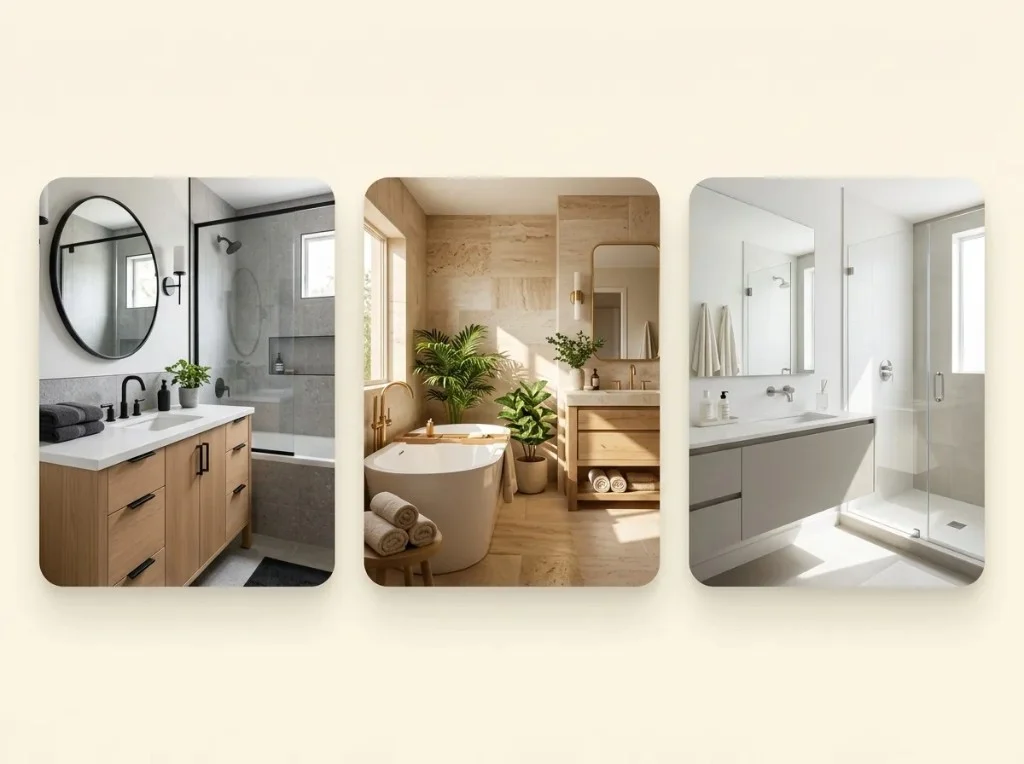
Looking for the best AI interior design generators to transform your home? AI design tools can help you explore new styles, visualize furniture ideas, and preview a room makeover before spending money on renovations. Whether you want to refresh a bedroom, redesign a living room, or stage an empty property, the right tool can make planning easier.
In this guide, we compare the best AI interior design generators for different needs, including photo-based room redesign, virtual staging, and 3D home planning. For hands-on evidence on photo tools, see our compare AI room redesign tools guide and best AI room redesign tools roundup.
Best AI Interior Design Generators Compared
The best choice depends on how you want to design your space. Some tools transform an existing room photo, while others focus on 3D layouts or property staging. Compare each tool's current features, pricing, and free options before choosing.
| Tool | Best for | Main approach |
|---|---|---|
| AI Room Redesign | Quick room makeovers | Photo-based redesign |
| RoomGPT | Simple style experiments | Photo transformation |
| REimagineHome | Virtual staging and product styling | AI visualization |
| Interior AI | Exploring interior concepts | AI-generated designs |
| Homestyler | Detailed room planning | 3D design and rendering |
Top AI Interior Design Generators
1. AI Room Redesign: Best for Quick Room Makeovers
AI Room Redesign is a practical starting point for homeowners and renters who want to see how their existing space could look in a different style. Instead of designing a room from scratch, you can use a photo of your current room as the starting point.
This approach is useful when you want to explore modern, minimalist, Scandinavian, or other interior styles before buying furniture or changing your decor.
Best for: Homeowners, renters, and beginners who want visual inspiration from an existing room photo.
Pros:
- Start with a photo of your actual space.
- Explore different interior design directions.
- Visualize potential changes before committing to a makeover.
Things to consider:
- AI-generated images are concepts, not construction plans. Review the results carefully if preserving windows, walls, room dimensions, and furniture placement is important.
2. RoomGPT: Best for Simple Style Experiments
RoomGPT is designed to help users reimagine a room using a photo. Its straightforward workflow makes it suitable for people who want to explore alternative interior styles without learning professional design software.
Upload a room image, choose a theme, and generate a new visual concept. You can use the results to compare different aesthetics and discover which direction suits your home.
Best for: Beginners who want a simple photo-to-design experience.
Pros:
- A straightforward workflow.
- Useful for exploring different room themes.
- No need to create a detailed 3D model first.
Things to consider:
- Generated images may change existing details or introduce furniture that does not fit your room. Check the available credits and pricing before generating multiple variations.
3. REimagineHome: Best for Virtual Staging
REimagineHome is useful for users who need more than a basic room makeover. Its platform supports interior visualization, virtual staging, and related property-design workflows.
Real estate agents can use virtual staging to explore how an empty property might look when furnished. Homeowners can also experiment with room styles and furniture concepts.
Best for: Real estate professionals, property marketers, and users exploring furnished-room concepts.
Pros:
- Supports virtual staging and interior visualization.
- Offers workflows for different property types.
- Helps users explore furnishing and styling possibilities.
Things to consider:
- Review the current credit allowance, paid plans, and output options before using it for a larger project.
4. Interior AI: Best for Exploring Interior Concepts
Interior AI is another option for people who want to experiment with AI-generated interior visuals. Tools in this category are useful when you need inspiration for a renovation, a new decorating direction, or a visual presentation.
Rather than relying only on written descriptions, you can explore visual interpretations of different interior styles and compare potential looks.
Best for: Design enthusiasts, homeowners, and users collecting interior inspiration.
Pros:
- Useful for exploring alternative design directions.
- Can help communicate visual ideas.
- Reduces the need to create every concept manually.
Things to consider:
- Check the current pricing, available design modes, and image-generation limits. AI-generated furniture and materials may not accurately represent products available for purchase.
5. Homestyler: Best for 3D Room Planning
Homestyler is worth considering when you want a more detailed design workflow. Its platform combines 3D visualization with room planning and AI-assisted design capabilities.
Unlike tools focused mainly on transforming a single photograph, a 3D design workflow can help you experiment with layouts, furniture, materials, and the overall appearance of a space.
Best for: Users who want more control over room layouts and detailed visual planning.
Pros:
- Supports 3D room design and visualization.
- Useful for experimenting with furniture and materials.
- Offers a broader planning workflow.
Things to consider:
- Detailed planning can require more time than generating a quick room makeover. Check which features are available in the free plan and which require payment.
How to Choose the Best AI Interior Design Generator
When comparing AI interior design generators, focus on what you actually need rather than choosing a tool based only on its marketing claims.
- 1. Photo-based redesign or 3D planning?
Choose a photo-based tool if you want to transform your existing bedroom, kitchen, or living room. Choose a 3D planner if accurate layouts and detailed furniture placement matter more.
- 2. Does it preserve your room's structure?
Check whether the tool keeps windows, doors, walls, and architectural details consistent. If you are planning a real renovation, compare the generated image with your original photograph.
- 3. Can you try it before paying?
Review free credits, watermarks, image limits, and subscription terms. AI Room Redesign offers 2 sign-up credits on our pricing page; competitors vary — confirm live terms before you commit.
- 4. Does it support your preferred style?
Look for styles that match your goals, such as modern, minimalist, Scandinavian, industrial, or traditional interiors.
- 5. Are the results practical?
A beautiful image is not necessarily a realistic plan. Consider room dimensions, lighting, furniture availability, and your budget before implementing an AI-generated design.
How to Redesign a Room with AI
You do not need professional design experience to begin. Follow these steps to create a room concept with an AI design tool. The goal is to make design decisions easier, not to treat an AI image as a guaranteed representation of the finished room.
- Take a clear photo. Photograph your room in good lighting and include the main furniture and architectural features.
- Choose a design tool. Select a photo-based room redesign generator if you want to transform your existing space.
- Select an interior style. Start with one clear direction, such as modern, Scandinavian, or minimalist.
- Generate and compare results. Explore different concepts and check whether important room features remain consistent.
- Refine your favorite idea. Use the result as inspiration for furniture, colors, lighting, and decor.
Start in our room redesign studio, browse examples, or try bedroom and bathroom landing presets.
Frequently Asked Questions
What are the best AI interior design generators?
The best option depends on your project. AI Room Redesign and RoomGPT are worth exploring for photo-based makeovers, REimagineHome for virtual staging, Interior AI for visual concepts, and Homestyler for 3D planning.
Can I use AI to redesign my room from a photo?
Yes. Photo-based AI interior design generators can use an existing room image to create a new visual concept. Results vary, so check whether the tool preserves your room's layout and architectural details.
Are AI interior design generators free?
Some offer limited free generations or trial credits, while others require a subscription or credit purchase. AI Room Redesign includes 2 sign-up credits; check each product's official pricing page for current limits and payment terms.
Can AI interior design replace an interior designer?
AI can help you explore ideas and visualize styles, but it cannot reliably replace professional measurements, construction planning, safety assessments, or personalized design expertise.
Final Thoughts
The best AI interior design generators make it easier to explore possibilities before investing in a room makeover. Choose a photo-based tool for quick visual transformations, a staging platform for property marketing, or a 3D planner for more detailed layouts.
Start with your existing room photo, test a style you like, and compare the results with your practical needs. Confirm current pricing on our pricing page before you buy credits. A little experimentation can help you find a design direction that fits your space, preferences, and budget.